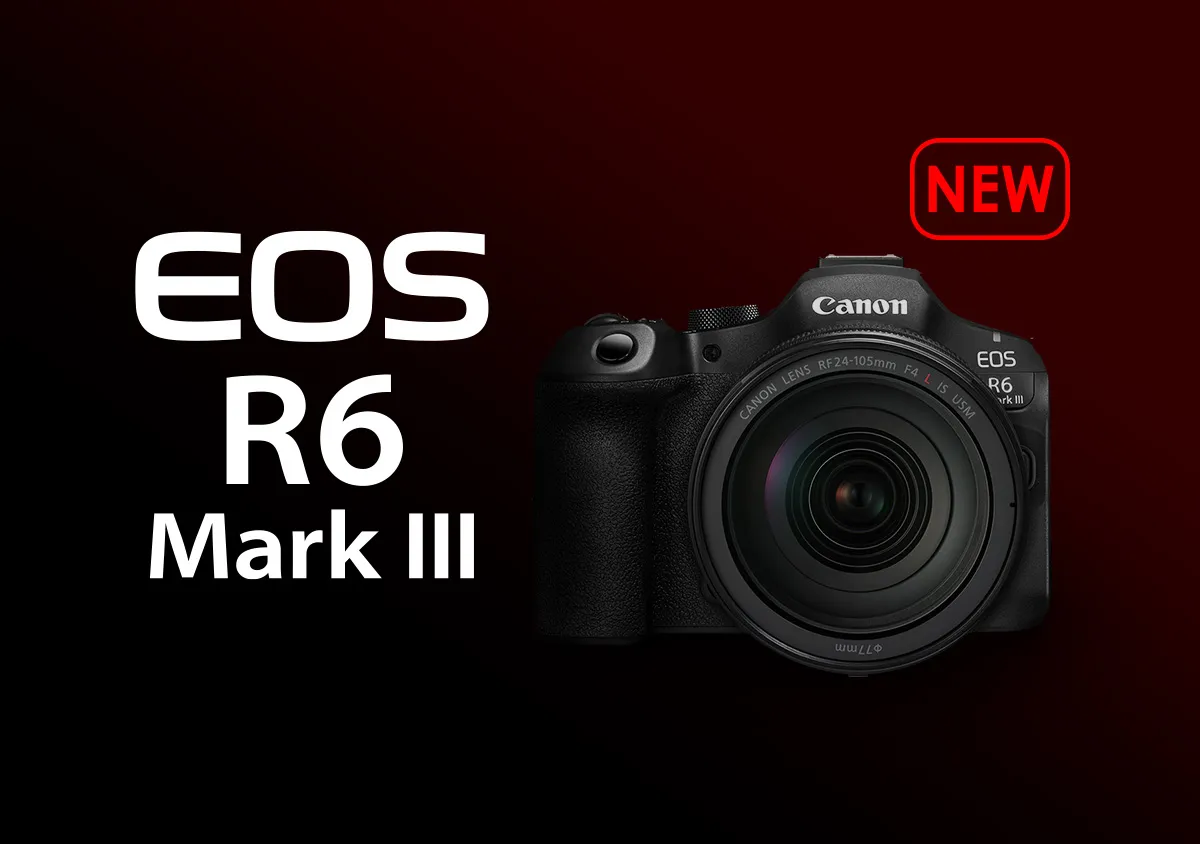
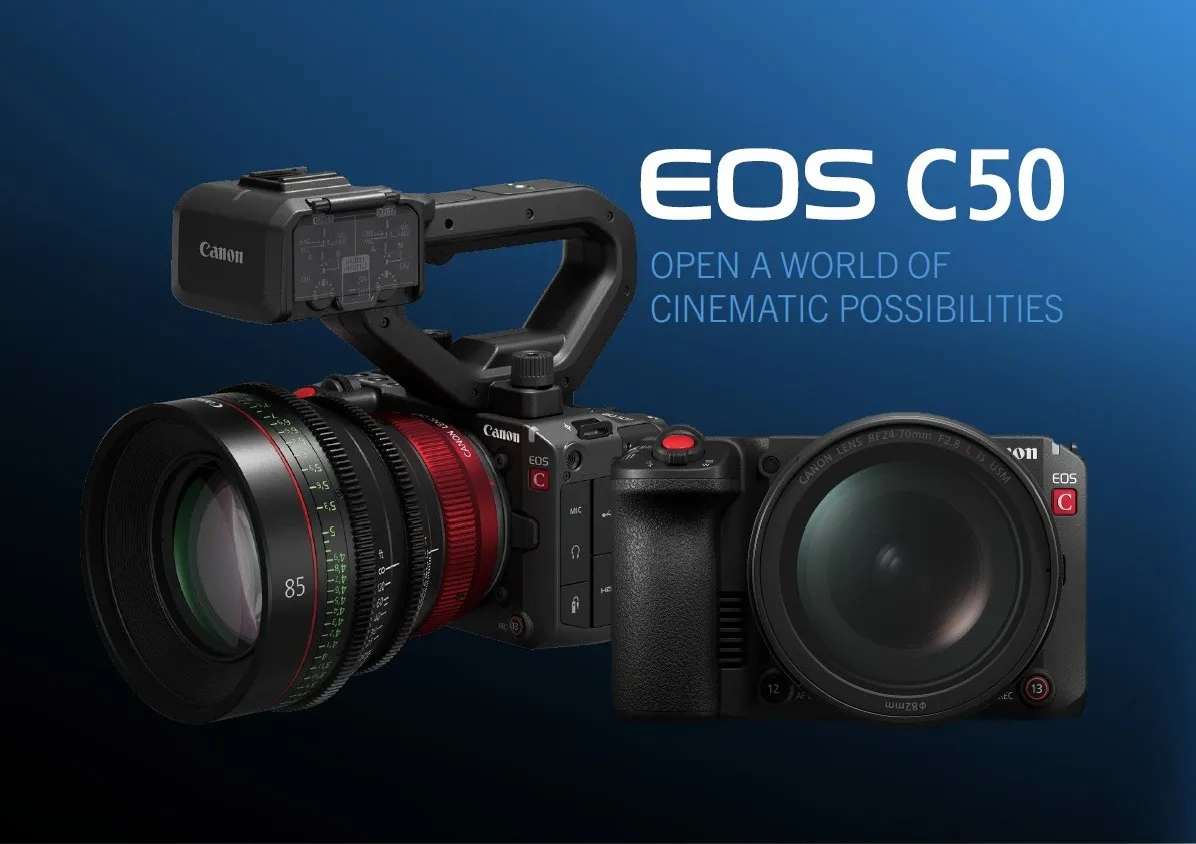
EOS R6 Mark III vs. EOS C50 (1): Body, Handling, and Interfaces

Advanced

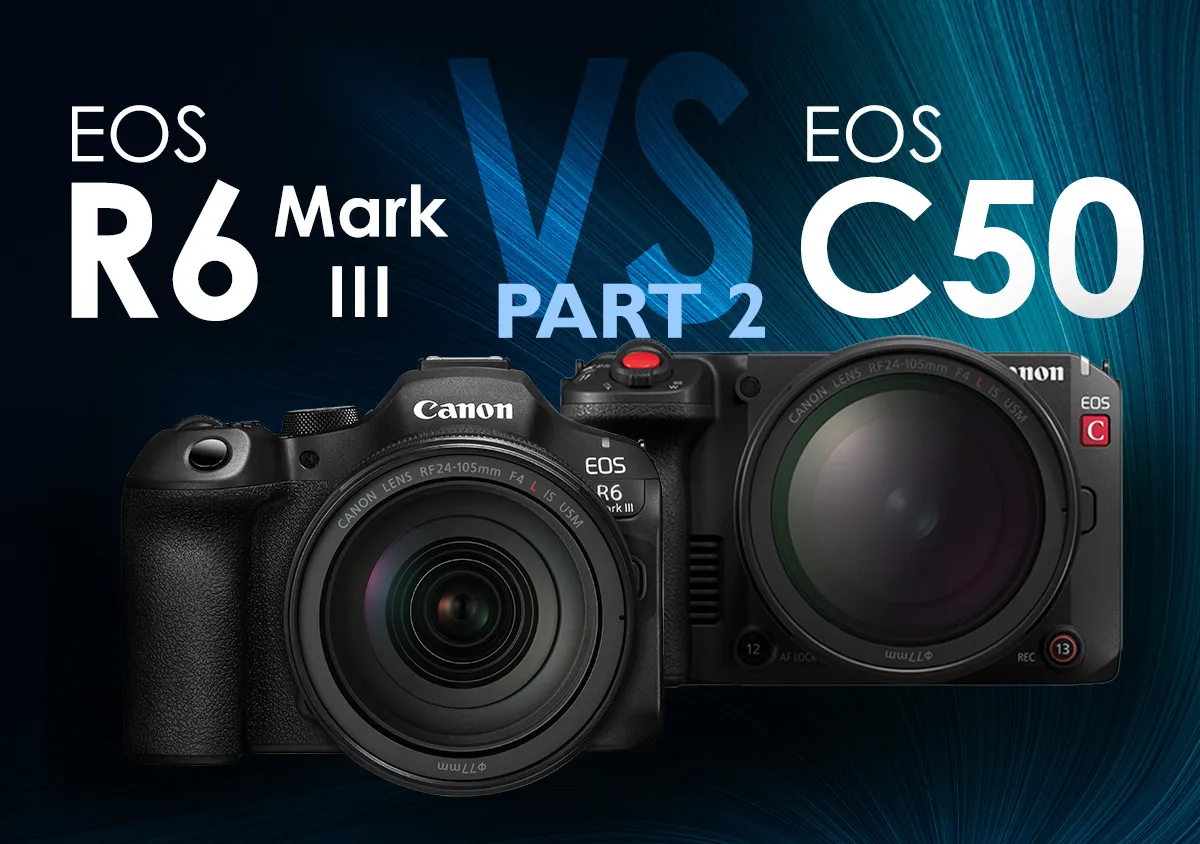
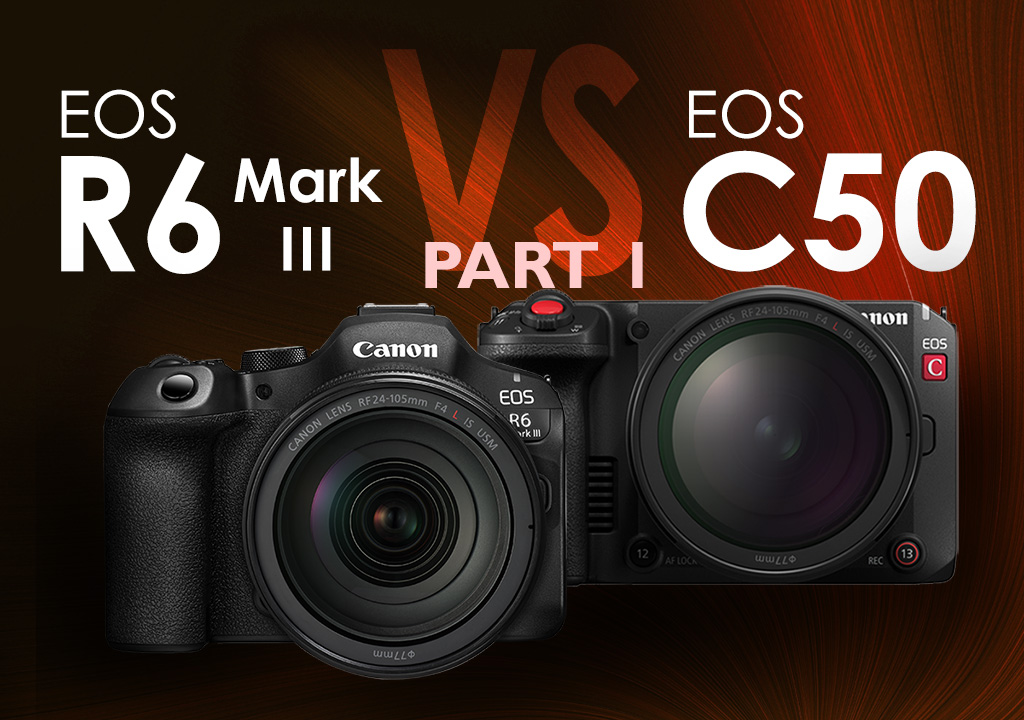
The EOS R6 Mark III and EOS C50 are both powerful photo-video hybrid cameras that, on the surface, seem to share many similar features. However, they also have many differences that cater to different workflows and usage styles. In this 2-part series, we explore the differences between the two cameras and why they matter.

Snapshot

Published on 16 February 2026 Updated on 18 March 2026

Reading Time 7 minutes

  • 1
  • 0
  • 0


First things first: What features do they share?

Some of the key features shared by both the EOS R6 Mark III and EOS C50 include:

  1. Sensor and AF
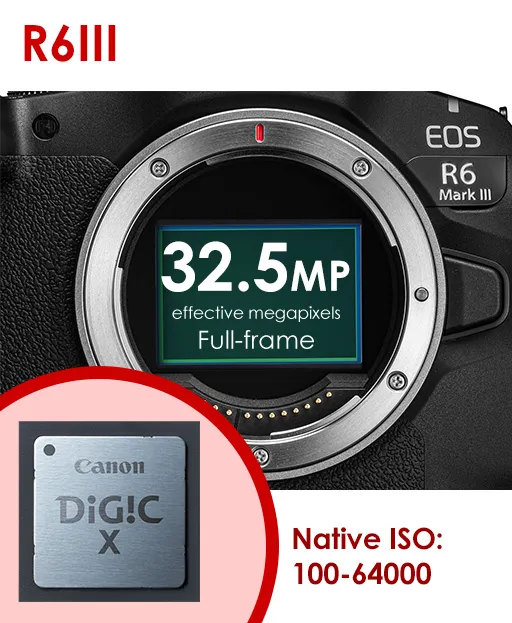
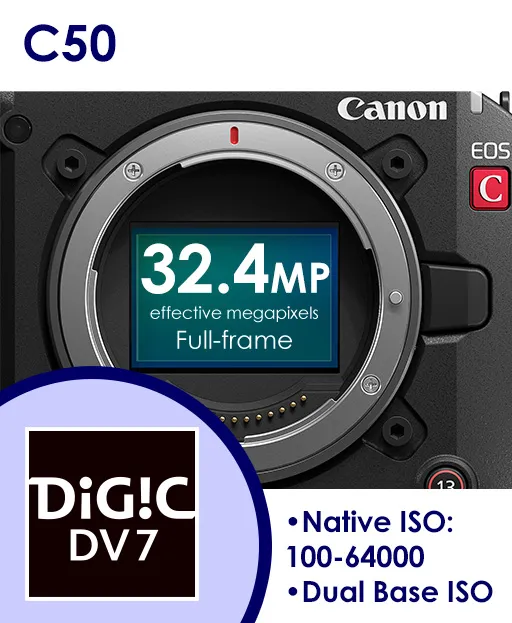
  • approx. 32.5-megapixel full-frame CMOS sensor (shoots images up to 6960×4640)
  • Native ISO range of 100-64,000 for stills and up to ISO 25,600 for videos.
  • The sensor-based Dual Pixel CMOS AF II autofocus system that incorporates deep learning-based algorithms for autofocusing, subject detection, and tracking.
  1. Video capabilities
  • Internal 7K 60p RAW (6960x3672) video
  • Open Gate 3:2 7K 30p video (6960×4640 RAW/MP4)
  • Oversampled 4K 60p video
  • Slow motion with audio up to 4K 120p/2K 180p
  • Fast motion recording down to 1 fps
  • Canon Log 2/3
  • Custom Picture
  • Many similar autofocusing characteristics
  1. Stills capabilities
  • Up to 40 fps high-speed continuous shooting
  • Subject Detection AF capabilities
  1. Card slots and batteries
  • 1 x CFexpress Type B, 1 x SD UHS-II
  • LP-E6P batteries

These features not only equip the cameras for advanced video production workflows, but also endow them with the speed and precision to capture dynamic scenes and fast-moving subjects reliably. Yet, they are still vastly different cameras that cater to different workflows, usage styles, and even user preferences. The numerous differences necessitate splitting the discussion into two articles. Here in Part 1, we shall start by exploring the cameras’ designs and interfaces.

1. Overall design and build

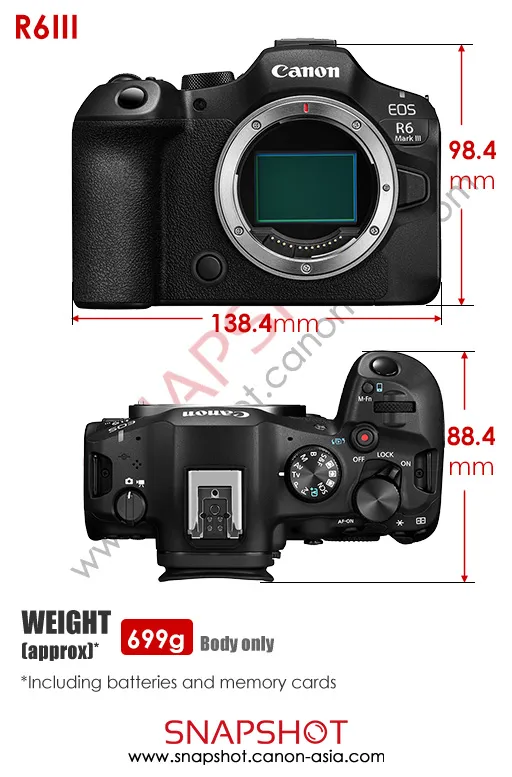
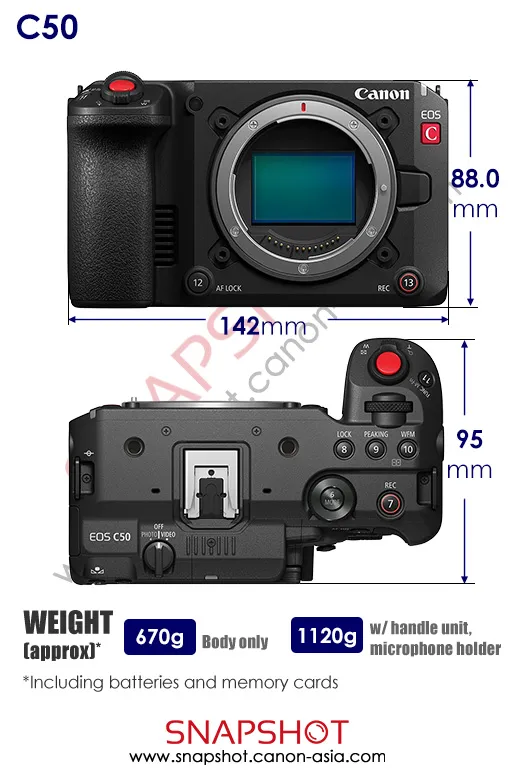
Overall, the cameras are similarly sized, with only slight differences in dimensions and weight. Both cameras are considered lightweight for their class, and will fit on a small or medium-sized gimbal. In fact, the EOS C50 is Canon’s smallest and lightest Cinema EOS camera to date.

Both cameras feature a deep grip that allows a firm hold on the camera when shooting stills or video handheld. Both cameras also support Battery Grip BG-R20.

Visible differences

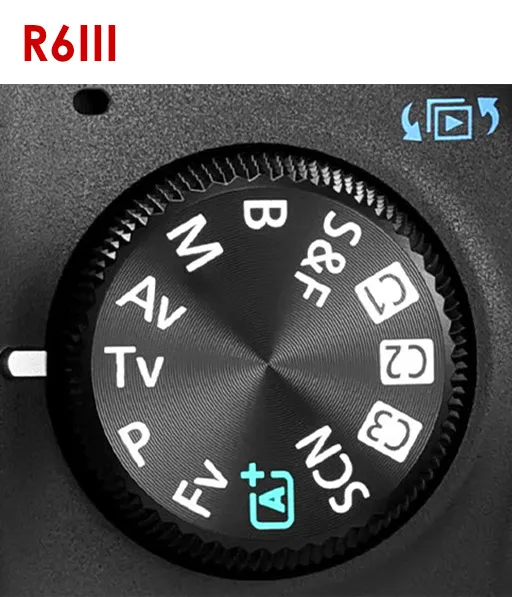
The EOS R6 Mark III is designed with a focus on still shooting. It features an electronic viewfinder and mode dial that allows quick, intuitive switching between different shooting modes. 

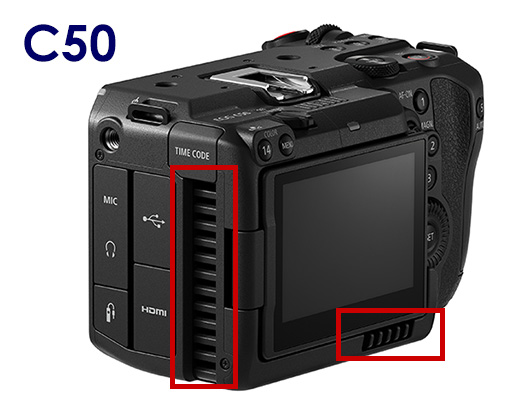
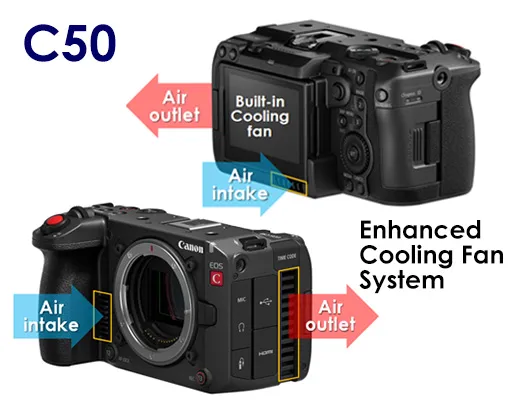
Meanwhile, the EOS C50 is designed for users who primarily shoot video, where it’s usually more convenient to use an external monitor or the LCD screen. It has a built-in fan and air outlets that actively cool the camera to allow longer recording times, whereas the EOS R6 Mark III prioritises weather sealing.
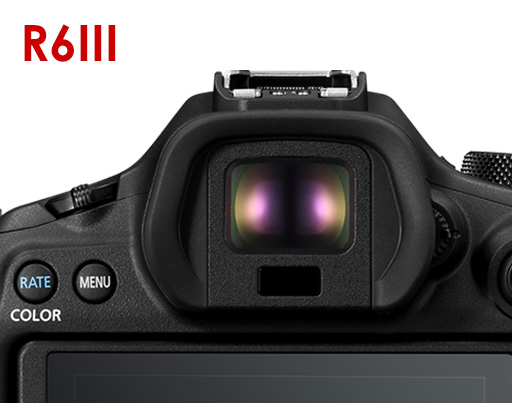
The EOS R6 Mark III features a 0.5-inch OLED EVF with an approximately 3.69 million dot resolution.The EOS C50’s built-in fan supports active cooling, allowing it to record demanding resolution and frame rate combinations without thermal limitations. (Also see 9. Heat Management)

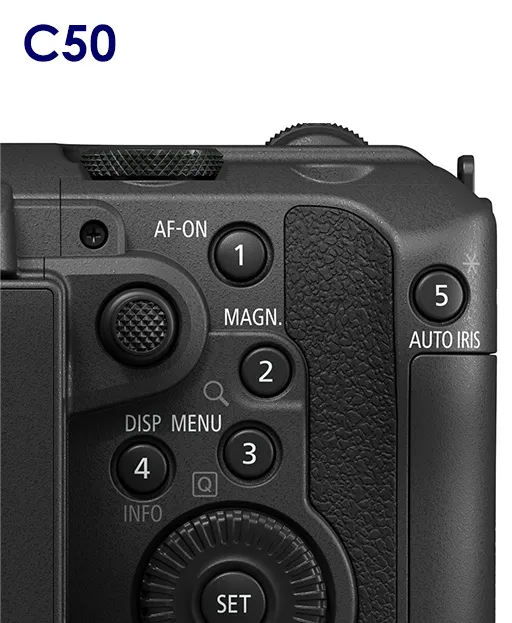
There are other visible differences in button and dial layout, and the EOS C50’s buttons are numbered—a nod to their high customisability. These differences in control interfaces are discussed in greater detail below. 


Rigging
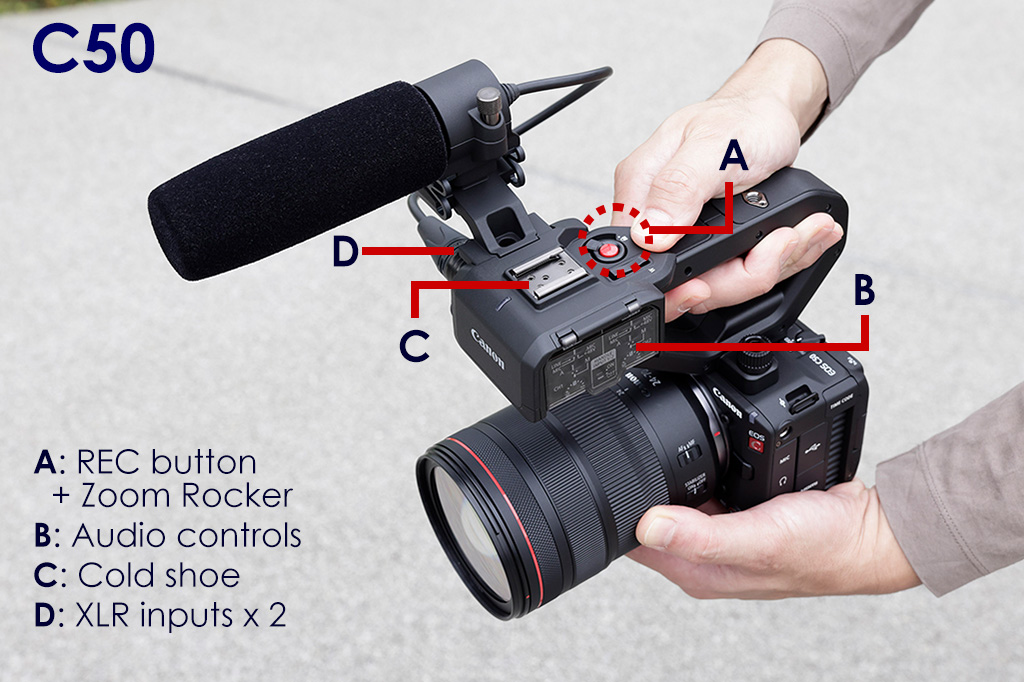
Like similar Cinema EOS cameras, the EOS C50 is bundled with a detachable handle unit that allows top handle shooting straight out of the box. Besides the two 1/4"-20 mounting screw holes on the top panel, which can be used for attaching the handle, it has three other screw holes on the left, right, and bottom in addition to the tripod socket, providing the flexibility for different rigging styles.

The EOS R6 Mark III can be rigged to an L-bracket or cage (sold separately) via its tripod socket.

2. Lens mount

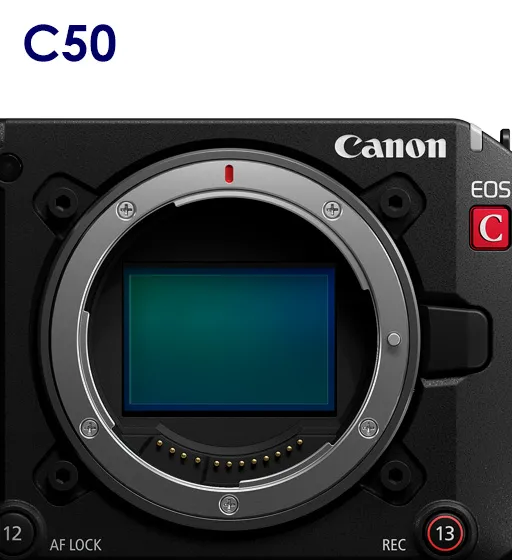
EOS C50 lens mount

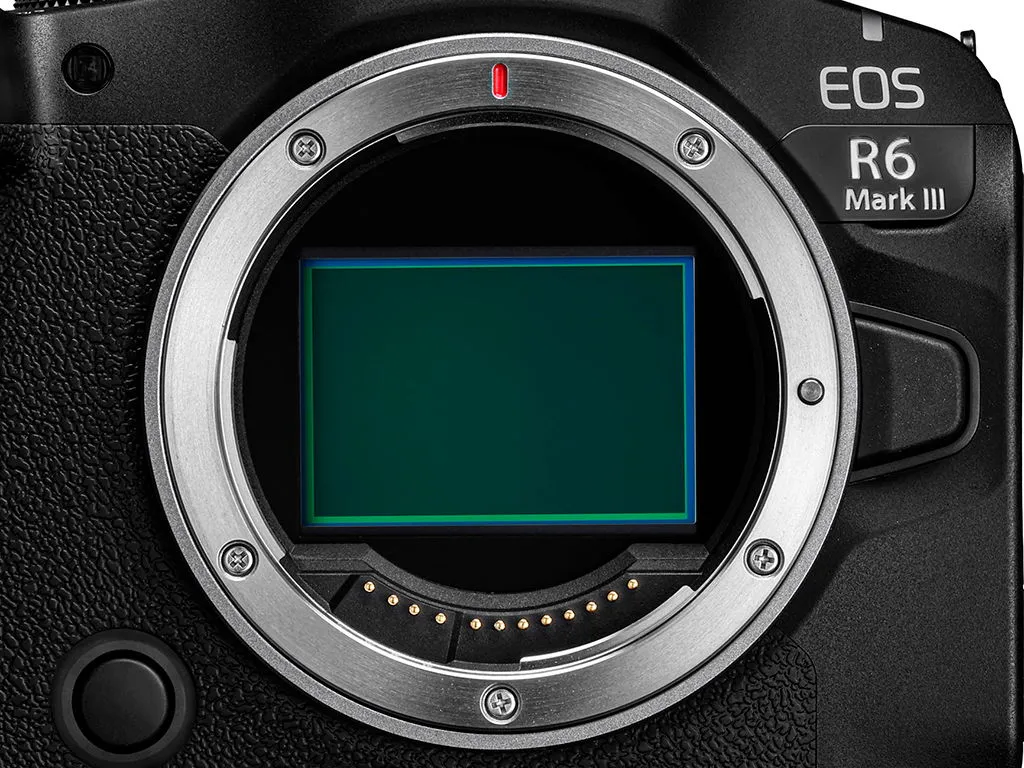
Both cameras feature Canon’s RF mount. They can take RF, RF-S, and CN-R lenses natively, and EF mount lenses via the EF-EOS R mount adapters with no impact on functionality. Supported RF lenses include the RF5.2mm f/2.8L Dual Fisheye, which streamlines VR image production. 
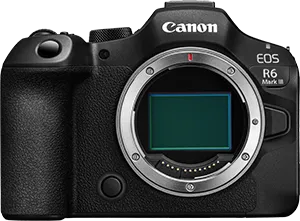
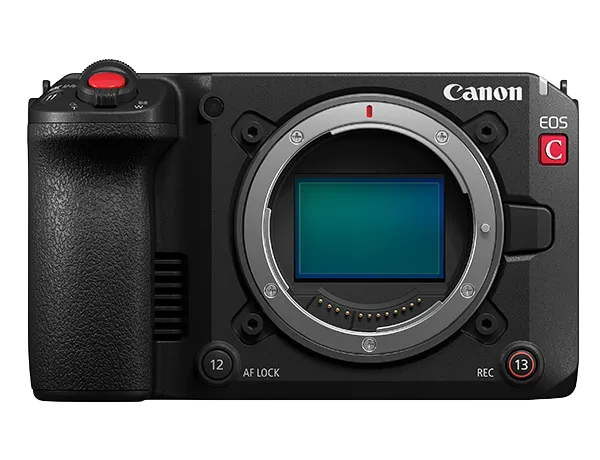
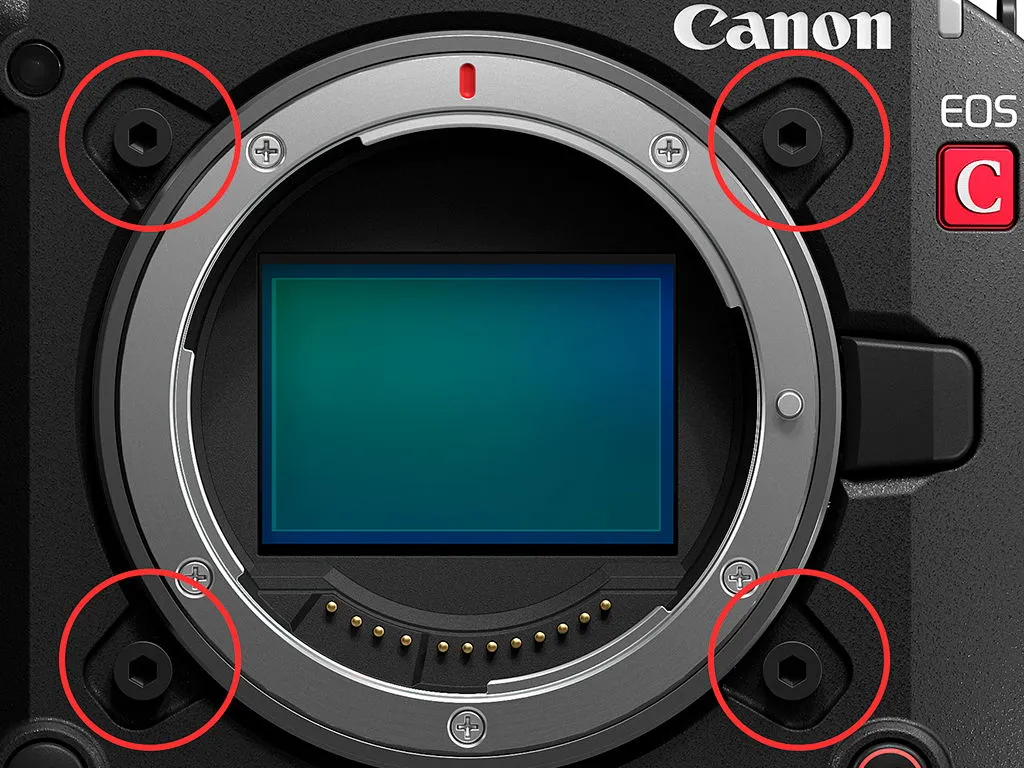
Both cameras also take cinema industry-standard Positive Lock (PL mount) lenses via Canon’s Mount Adapter PL-RF adapter, although Canon can only guarantee full lens communication capability on the EOS C50. The four extra screws around the EOS C50’s lens mount (circled in red) offer extra security when heavier PL mount lenses are attached.

3. Sensor and image processing engine

The EOS R6 Mark III and EOS C50 use similar sensors but different image processing engines. The EOS R6 Mark III is powered by DIGIC X, known for enabling deep learning-based technologies and improving EOS R series cameras’ video capabilities. The EOS C50 is powered by the video-centric DIGIC DV7, designed to support professional filmmaking features and workflows. This enables the EOS C50's Dual Base ISO support*, which allows better signal-to-noise ratio optimisation to match lightning conditions.


* C-Log 2/3 & RAW: ISO 800 / 6400. BT.709 Std: ISO 160 / 1250
 

4. Dials and buttons

Customisability

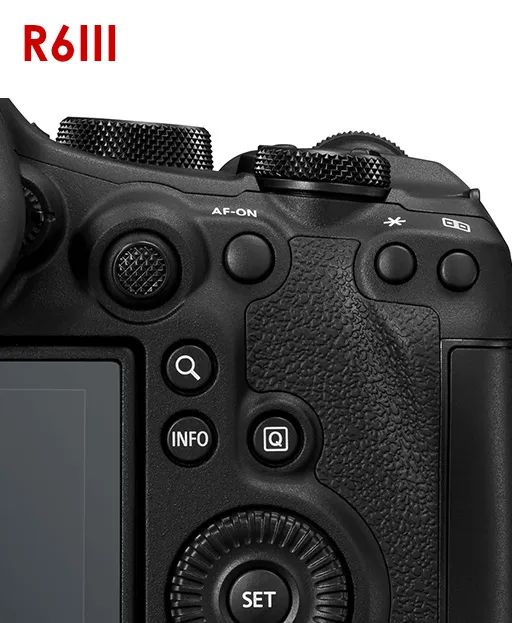
The EOS C50 has 14 buttons that can be assigned custom functions; the EOS R6 Mark III has 13 (11 in VIDEO mode). The EOS C50 generally offers more flexibility over the functions each button can be assigned to.
 

Mode dial/button

The EOS R6 Mark III’s traditional mode dial allows quick switching between shooting modes. In Video mode, they offer easy access to automatic and semi-automatic exposure shooting modes.
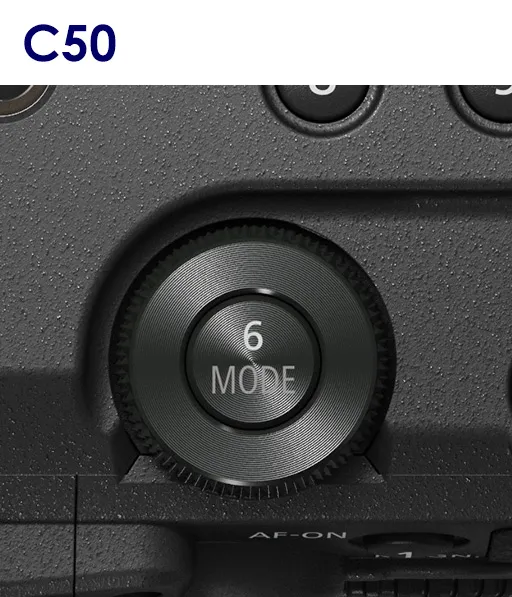
The EOS C50 has a mode button that displays the Shooting Mode menu on the LCD screen.

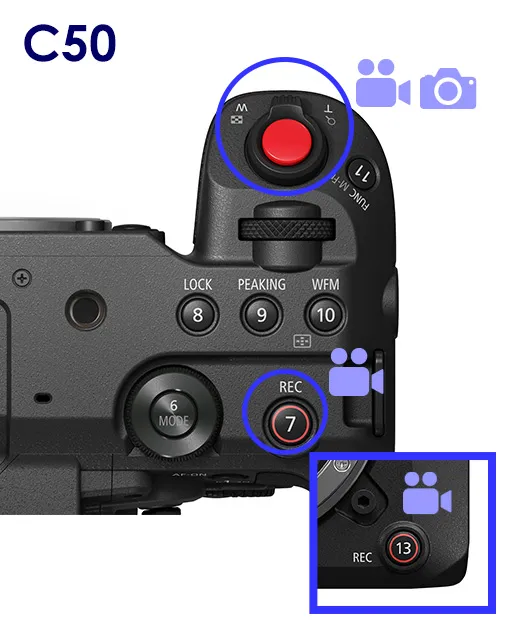
Record button

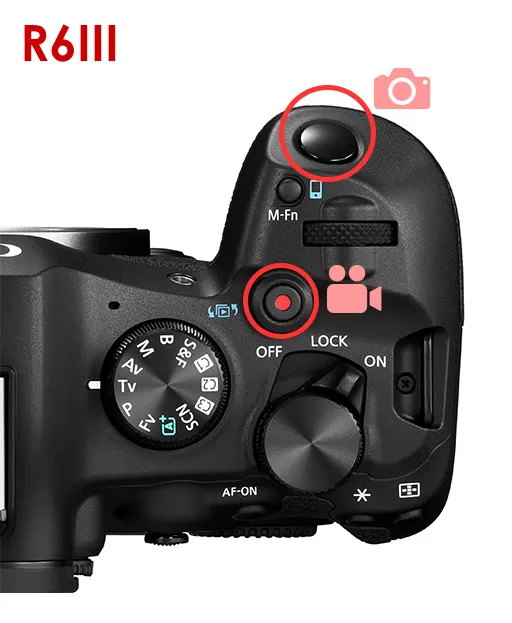
The EOS R6 Mark III’s video REC button is separate from its shutter button. You can also press it to record video while in Photo mode.
The EOS C50 has three REC buttons on the body (two on the top panel, one in front) and one on the handle unit, allowing you to start/stop video recording from almost any shooting position. The fully red button on the body is also the shutter button in Photo mode.
 

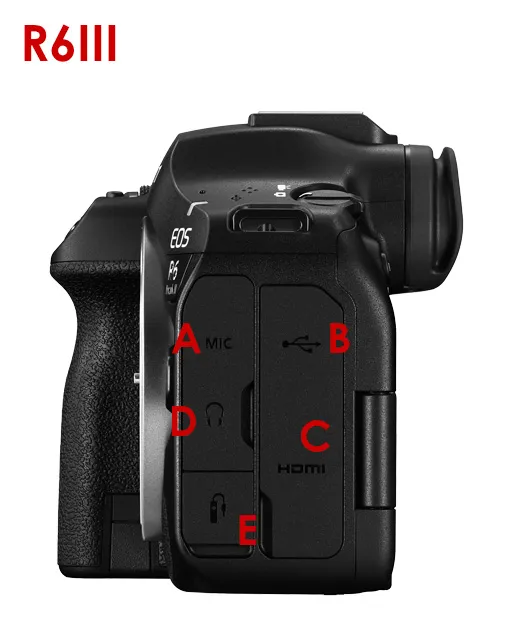
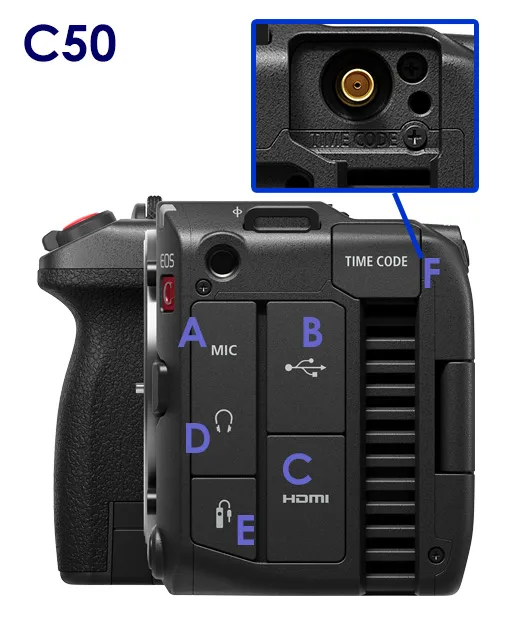
5. Interfaces

A) MIC terminal
B) USB-C terminal
C) HDMI OUT terminal (HDMI Type A)
D) Headphone terminal
E) Remote control terminal
F) Time Code terminal (EOS C50 only)

The two cameras share most essential terminals, including a full-size HDMI output terminal for external output or monitoring. The EOS C50 additionally features a Time Code terminal that enables timecode synchronisation—useful for setups that involve multiple cameras and audio recording devices.

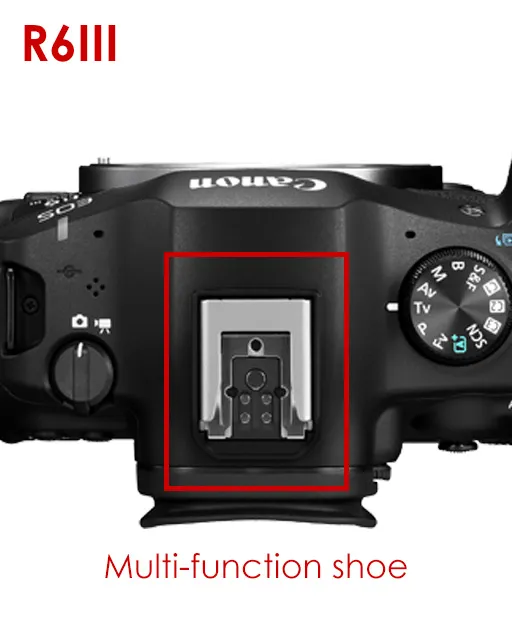
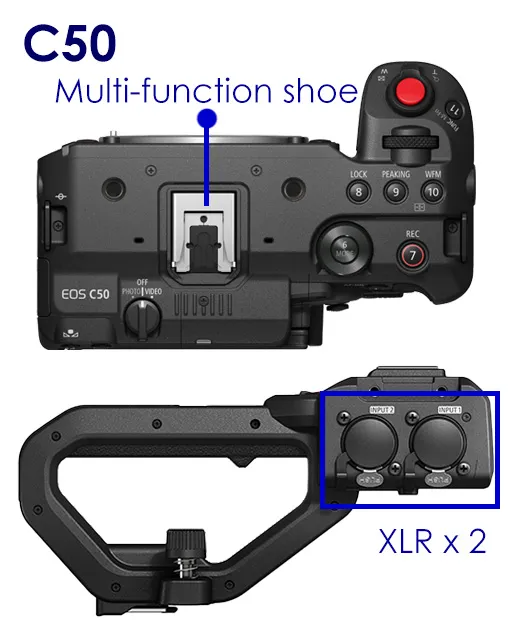
Both camera bodies feature Canon’s multi-function shoe, which supports digital microphones and compatible XLR adapters. 

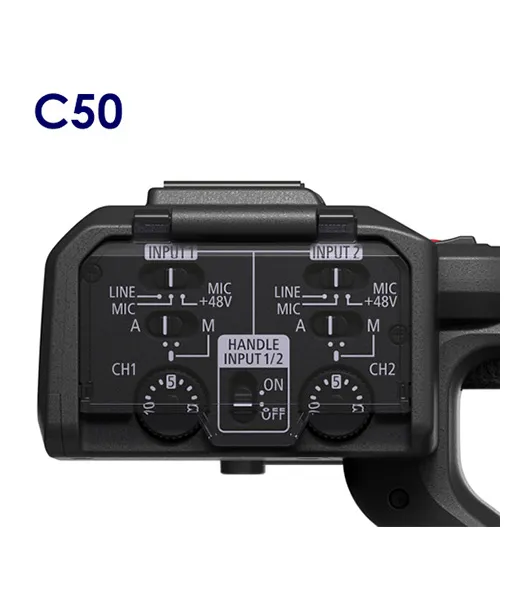
The EOS C50’s handle unit also adds two standard XLR terminal inputs as well as audio controls, expanding audio input options.

6. Shutter mechanism

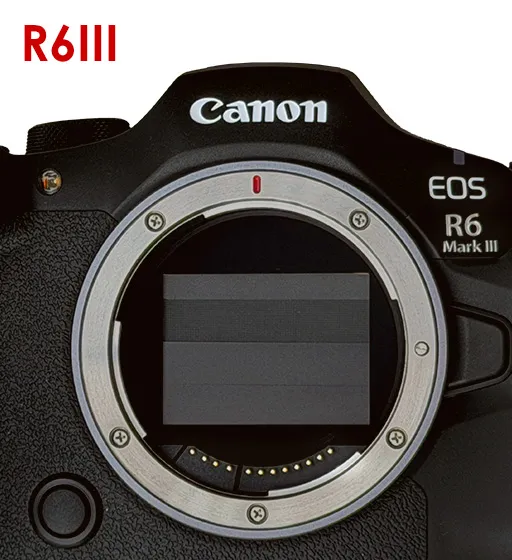
The EOS R6 Mark III has a physical shutter blade that can be set to lower when the camera is powered off, protecting the sensor from dust when changing lenses. It offers mechanical, electronic first-curtain, and electronic shutter modes. Meanwhile, the EOS C50 shoots in the electronic shutter mode.

7. Image stabilisation

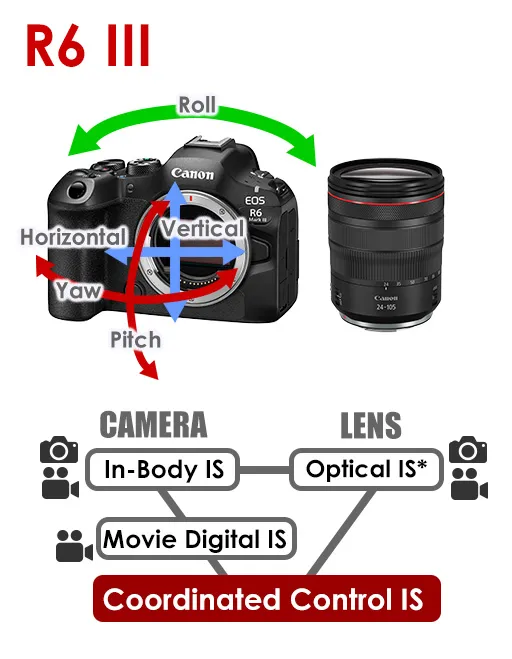
The EOS R6 Mark III features the In-Body IS (Image Stabilizer) , which shifts the sensor to counteract camera shake. This makes the EOS R6 Mark III capable of 5-axis image stabilisation during handheld still and video shooting, even when using lenses without Optical IS. It also enables enhanced stabilisation results through Coordinated Control IS with the lens-based Optical IS during still shooting, and with both Optical IS and Movie Digital IS** during video shooting. This achieves an effect of up to 8.5 shutter speed stops’ equivalent (centre) and 7.5 stops’ equivalent (edges) during still shooting.

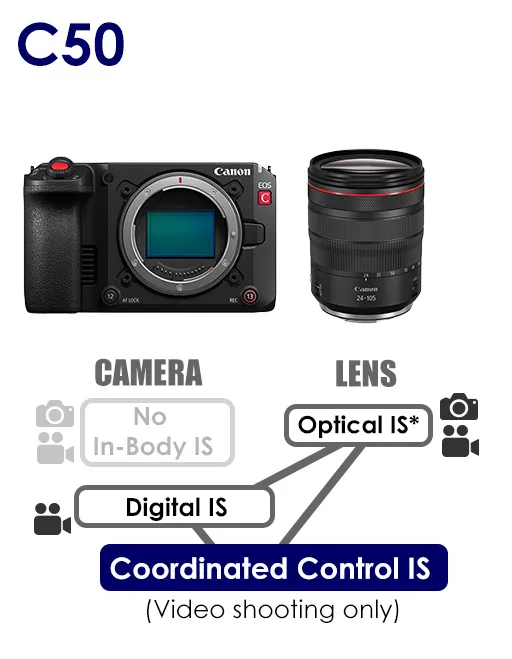
However, during gimbal shooting, the EOS C50’s fixed sensor can be an advantage. The EOS C50 supports 5-axis digital image stabilisation** during movie shooting.

*On compatible lenses
**Angle of view becomes narrower. The image might also become grainier.

8. Power zoom lens control

EOS C50

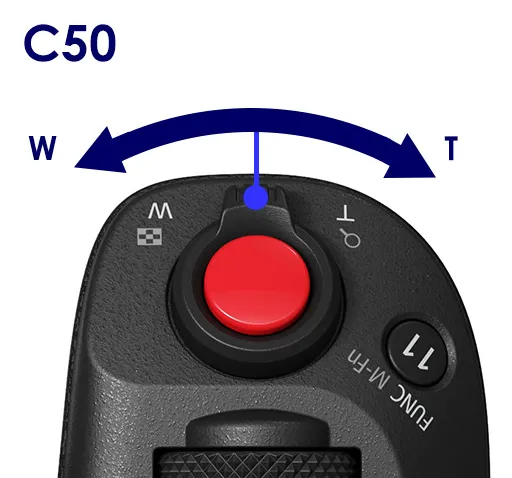
The EOS C50 has a dedicated zoom lever on both the camera body and detachable handle unit, allowing two levels of zoom speed control (Fast/Slow) over compatible lenses such as the RF-S14-30mm f/4-6.3 IS STM PZ, the RF24-105mm f/2.8L IS USM Z or RF70-200mm f/2.8L IS USM Z with the PZ-E2/PZ-E2B Power Zoom Adapter attached, or Cine Servo lenses. That provides three ways to control the zoom speed.


EOS R6 Mark III

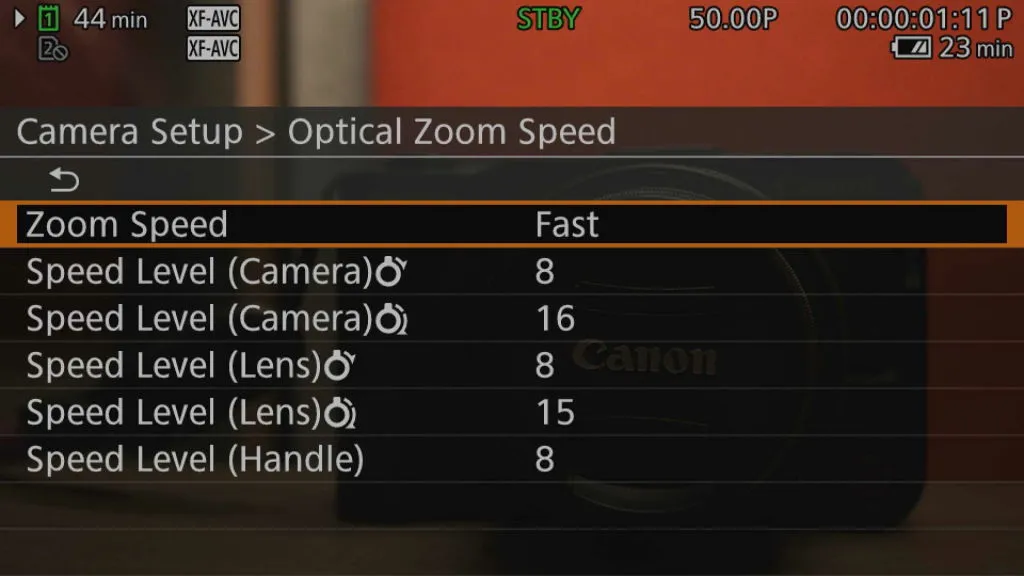
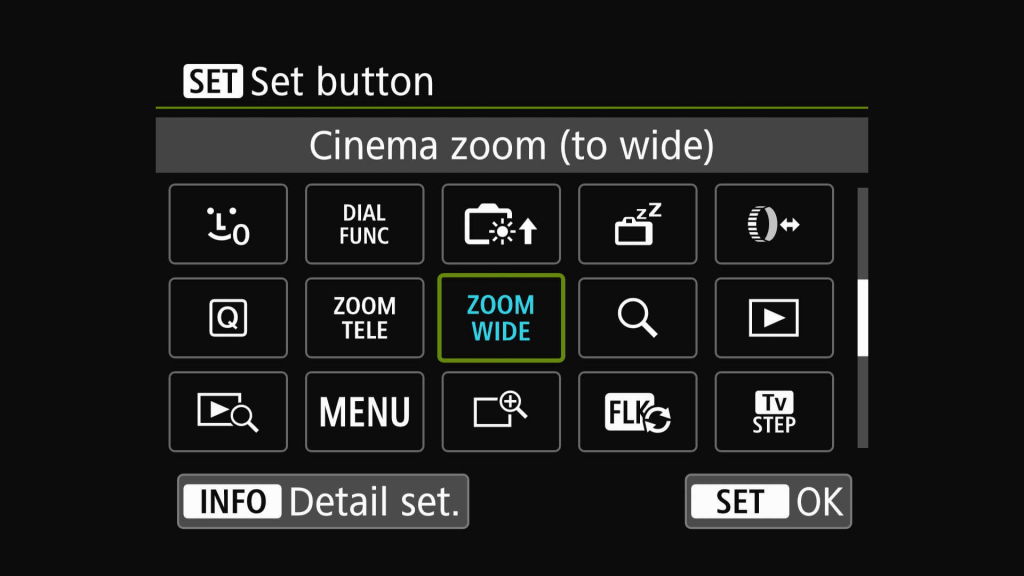
On the EOS R6 Mark III, zoom control from the camera body requires assigning custom buttons to zoom in and out.  For each button, you can choose the zoom speed level (slow/fast) and up to 15 levels of zoom speed.

9. Heat management

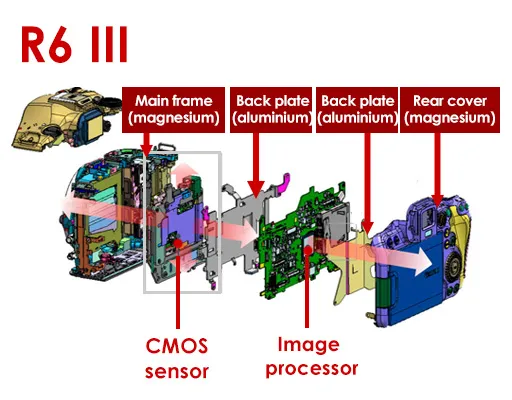
The EOS C50 employs an active cooling system with built-in cooling fan, whereas the EOS R6 Mark III uses an internal structure that conducts heat outward and away from the sensor and image processor. This enables the EOS C50 to record resource-intensive formats like 7K 60p RAW indefinitely, whereas in resource intensive modes, the EOS R6 Mark III powers off automatically after a certain duration. 

However, you can still use the EOS R6 Mark III to record RAW video for longer durations with an external recorder: it allows external RAW recording to ProRes RAW at 7K 60p/ cropped 4.3K 60p.

Table: EOS R6 Mark III’s available continuous recording times before auto power-off*

Movie recording quality

Available continuous recording time (approx.)

Auto power-off temperature setting

Standard

High

RAW 59.94 fps + 2K Proxy (Standard LGOP)

23 min

23 min

4K DCI 119.9 fps  
(Standard LGOP)

29 min

35 min

4K 59.94 fps (Fine)
(Oversampled from 7K)
(Standard LGOP)

23 min

23 min

2K DCI 179.8 fps
(Standard LGOP)

120 min

120 min

7K 30p Open Gate (MP4)
(Standard LGOP)

24 min

36 min

4K DCI 59.94 fps 
(Standard LGOP) and below

No restrictions

No restrictions

4K DCI 29.97 fps (Fine)
(Oversampled from 7K)
(Standard LGOP)

No restriction

No restrictions

 * According to Canon testing conditions when using CFexpress cards and SD memory cards conforming to Canon testing standards. When using a screen, no communication, without power over USB, and under <23°C environment. When the ambient temperature is higher than <23°C, the available time for continuous shooting will be shorter.

10. User interface

In Photo mode, the EOS R6 Mark III and EOS C50 share the same EOS system interface, which will be familiar to users who shoot with the EOS R system.

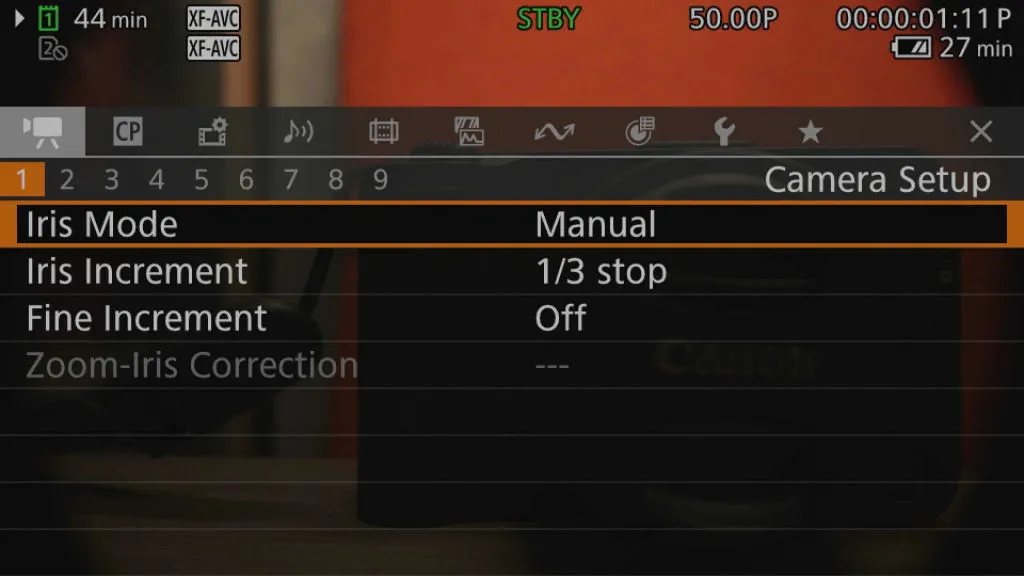
However, in Video mode, the EOS C50 boots into the Cinema EOS operating system, which has a different look and menu structure from the EOS R6 Mark III.

EOS C50

The EOS C50 main menus are translucent by default, allowing you to keep an eye on the scene while changing menu settings. You can adjust the opacity level.

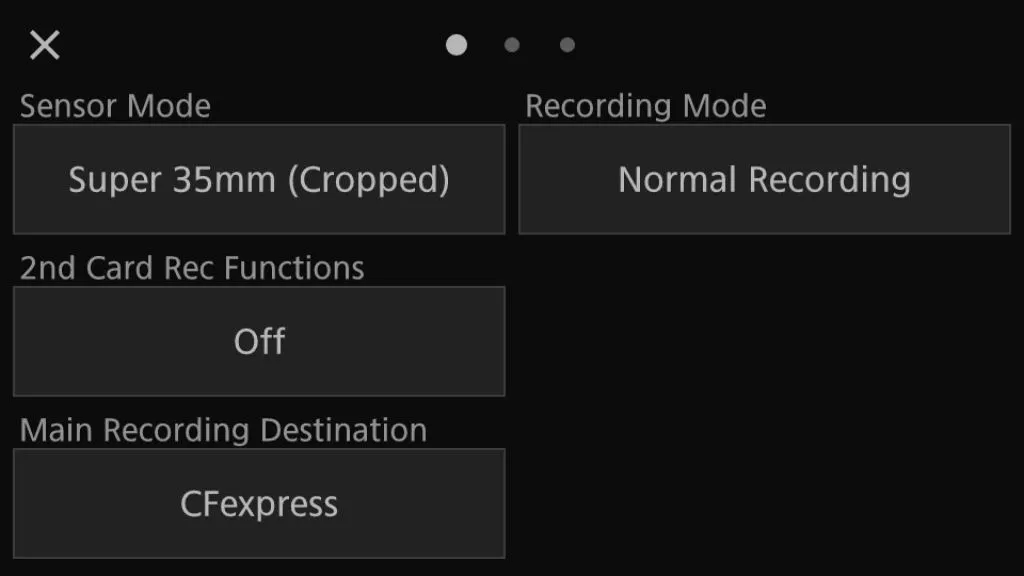
The Quick Control screen provides easy access to recording settings. It has larger buttons that are easy to tap into.

EOS R6 Mark III

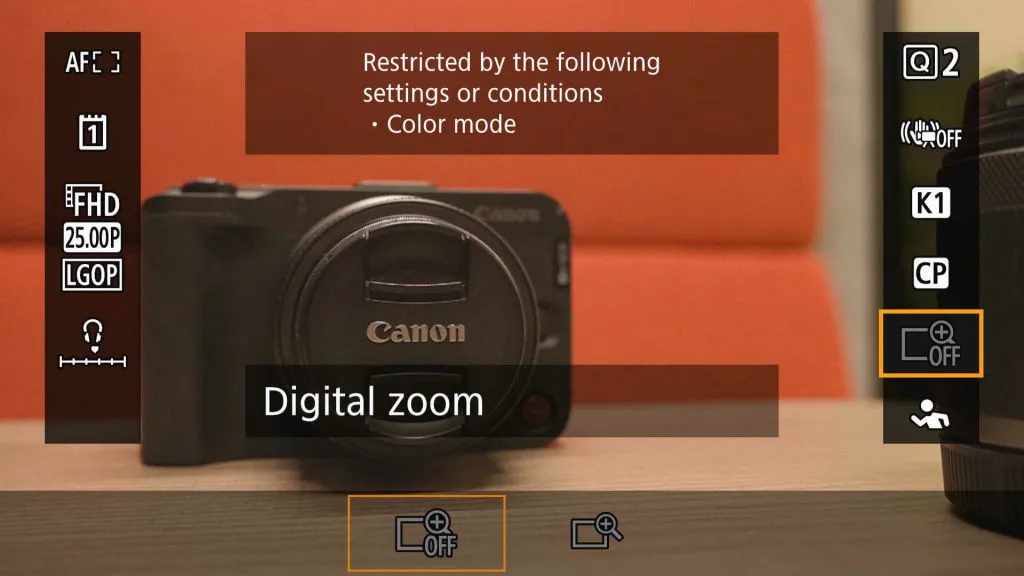
Like the EOS C50, the EOS R6 Mark III’s default Quick Control screen also lets you adjust main shoot settings while keeping the scene in view. The displayed functions can be customised.

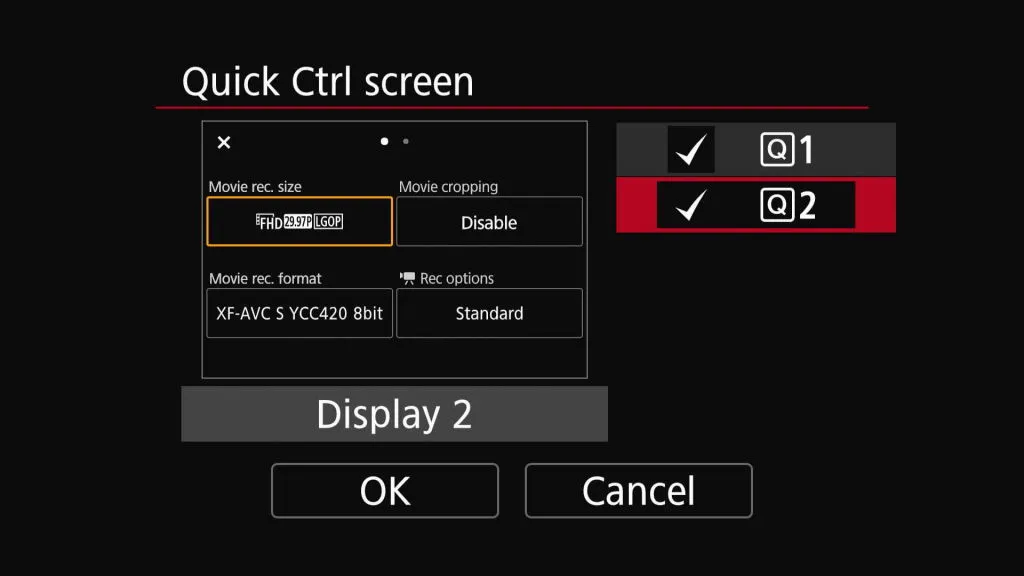
You can also enable a Quick Control display that resembles the Cinema EOS system’s screen.

Go to Part 2 to learn more about recording modes, codecs, AF, and other features.

Articles you may like

EOS R6 Mark III vs. EOS C50 (2): Shooting Capabilities and Workflows

Advanced

16 February 2026

  • 2 views
  • 0 like

EOS R6 Mark III: The Power to Unleash Your Passion

Intermediate

6 November 2025

  • 2 views
  • 0 like

EOS C50: Open a World of Cinematic Possibilities

Intermediate

22 October 2025

  • 2 views
  • 0 like

Featured products

Author

Snapshot

Join the Conversation

0 Comments