In video mode, the PowerShot V1 has 14 Color filters that allow you to capture footage with various colour grading effects. While this is not available in photo mode, you do have the benefit of Creative filters. They are a fun way to make your photos look different, and can be applied both during the shoot and to images you have already shot. The latter is a good choice if you want to keep a copy of the original image without the effect.
For the following examples, the Creative filters were applied during in-camera post-processing.
Miniature effect
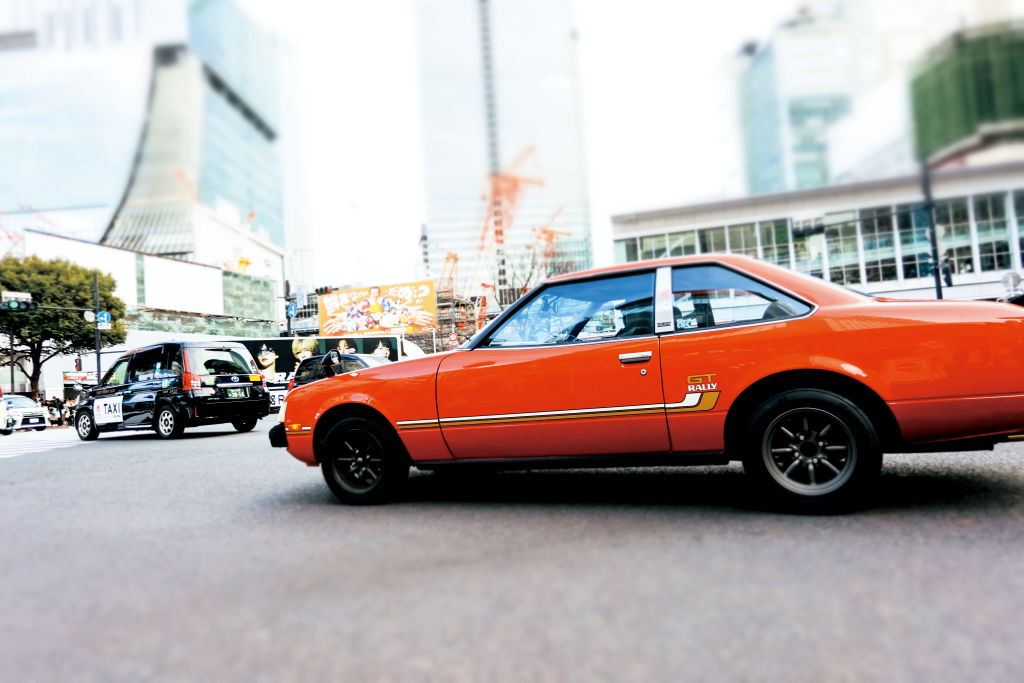
PowerShot V1/12mm (23mm equivalent)/ Aperture-priority AE (f/3.5, 1/500 sec, EV-0.3)/ ISO 400/ WB: Auto/ Creative filter: Miniature effect
The Miniature effect is most often used to make objects look like toys in a diorama, but you also get interesting results if you compose with the subject large in the frame. Here, I also increased the saturation in post-processing, which makes the image look even more distinctive.
Art bold effect
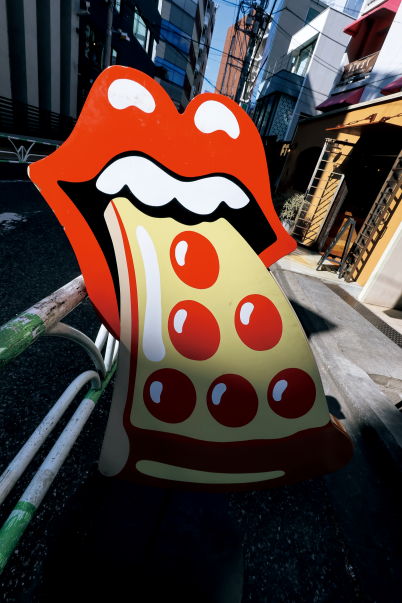
PowerShot V1/8.2mm (16mm equivalent)/ Aperture-priority AE (f/11, 1/160 sec, EV-0.3)/ ISO 100/ WB: Auto/ Creative filter: Art bold effect
The Art Bold effect is one Creative filter you’ll want to use for colourful scenes. Here, it has added impact this graphic sign, perhaps even made it look more unsettling. It probably is more suitable for manmade subjects and casual street snaps than for nature, but who knows? You might prove me wrong.
Toy camera effect
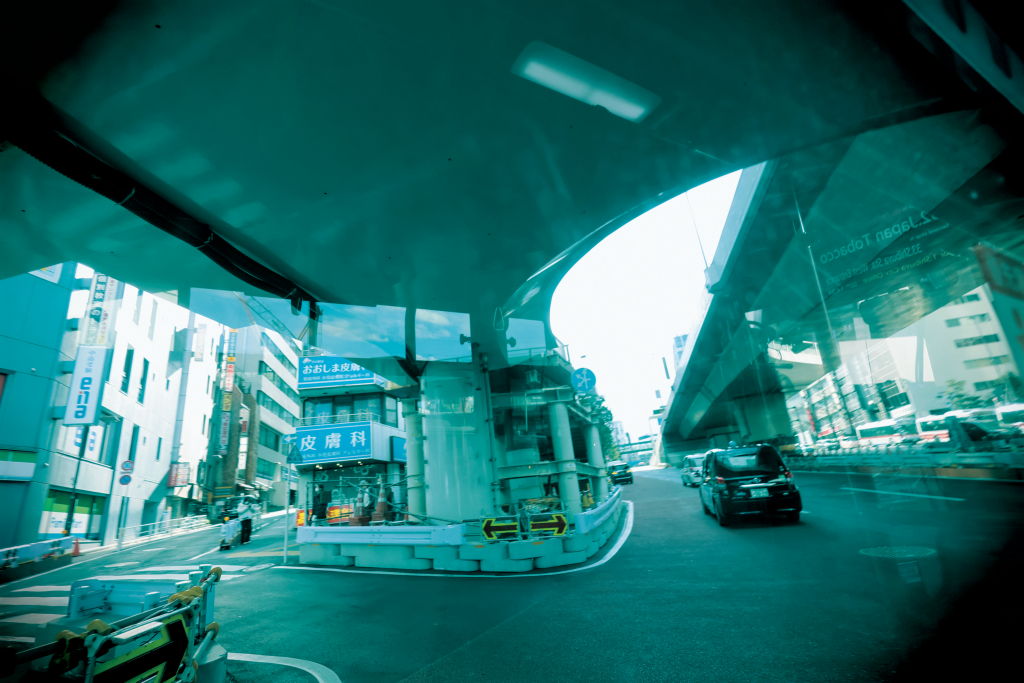
PowerShot V1/8.2mm (16mm equivalent)/ Aperture-priority AE (f/2.8, 1/160 sec, EV-0.7)/ ISO 100/ WB: Auto/ Creative filter: Toy camera effect
The Toy camera effect Creative filter gives scenes a nostalgic air by making images look like they were shot on a vintage film camera. The vignetting it adds to the corners draws your eyes to the centre of the frame.
Fisheye effect
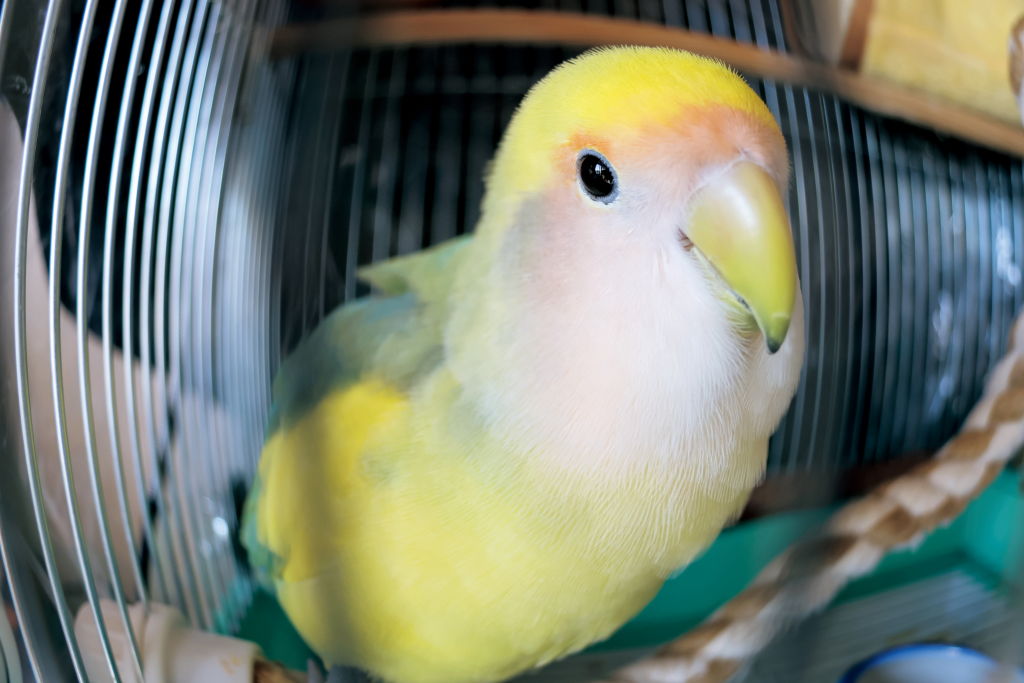
PowerShot V1/8.2mm (16mm equivalent)/ Aperture-priority AE (f/2.8, 1/100 sec, EV-0.7)/ ISO 160/ WB: Auto/ Creative filter: Fisheye effect
Applying the fisheye effect Creative filter to an image captured at the camera’s widest angle results in a very unique look. In the above example, it’s made the bird’s head and beak look disproportionately large, amplifying the cuteness!
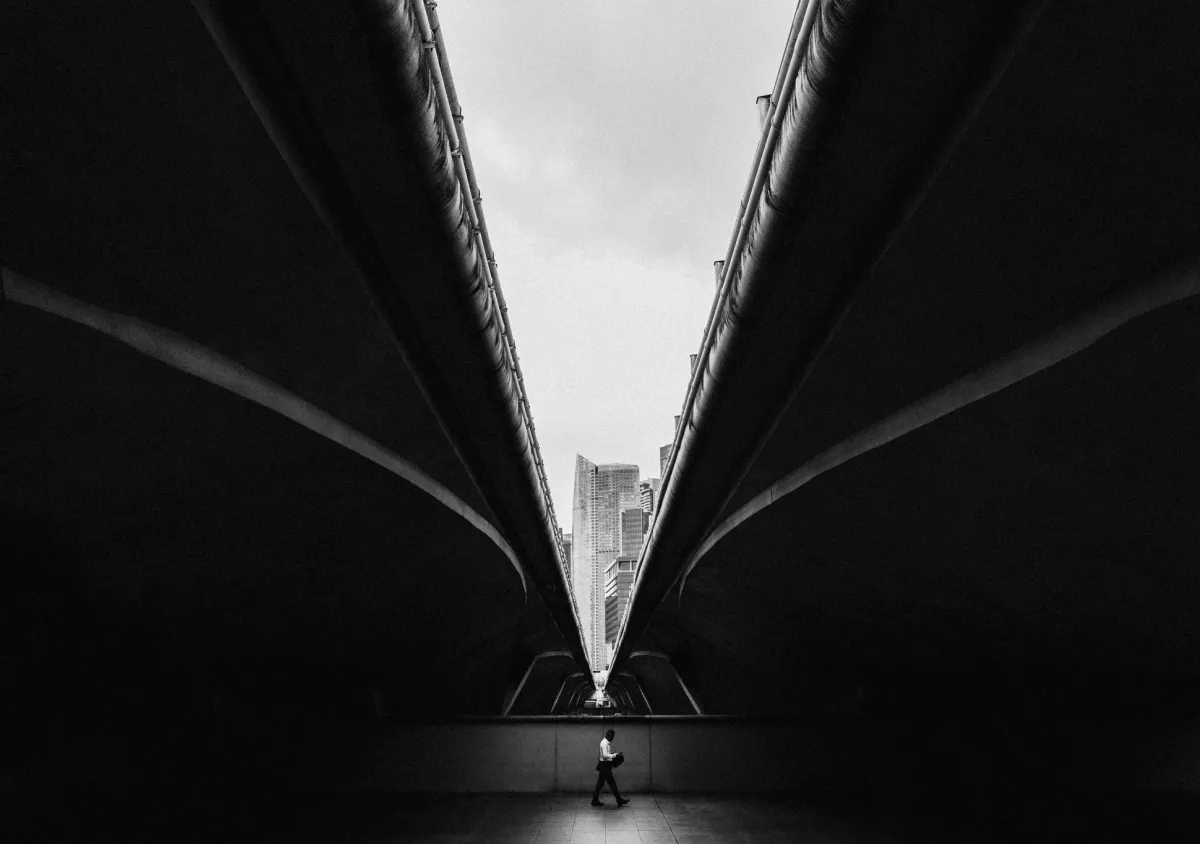
Grainy B/W
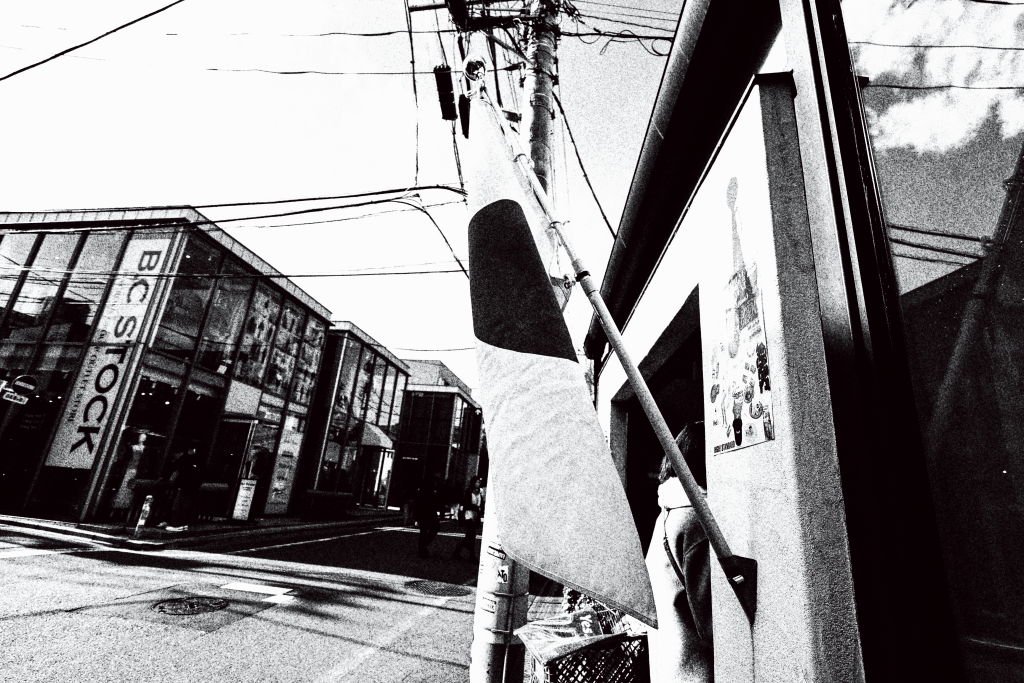
PowerShot V1/8.2mm (16mm equivalent)/ Aperture-priority AE (f/2.8, 1/2000 sec, EV-0.7)/ ISO 100/ WB: Auto/ Creative filter: Grainy B/W
The grainy monochrome look creates strong visuals, which is also rather effective for street photography. You can adjust the contrast level to change the black/white balance.





.jpg.webp)
Join the conversation