Introduction to Filmmaking on Your Canon EOS (1): What Every Beginner Must Know
Beginner
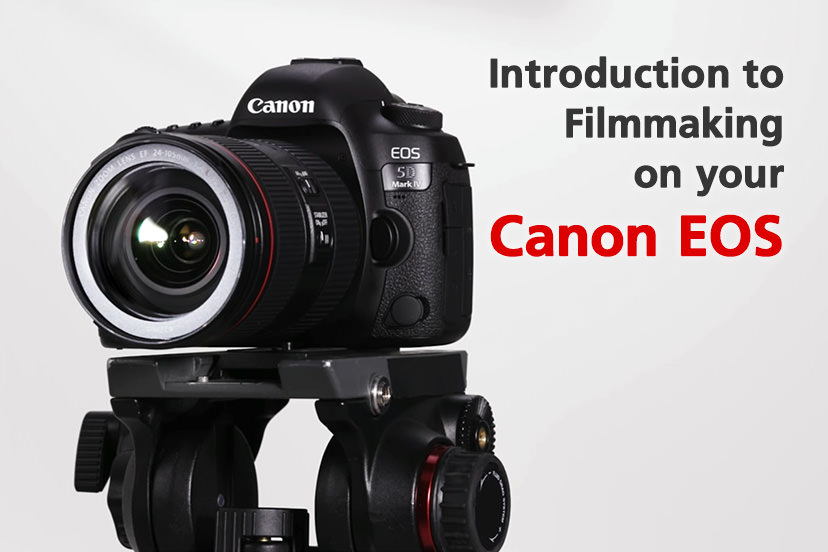
If you are thinking of enrolling in film school, or trying your hand at filmmaking with your DSLR, Canon has released a series of videos, with tips and techniques from photographer and filmmaker Simeon Quarrie to help you get started. Here’s a look at the first three.
Snapshot
Published on 1 June 2017 Updated on 29 January 2026
Reading Time
0
0
0
If you are thinking of enrolling in film school, or trying your hand at filmmaking with your DSLR, Canon has released a series of videos, with tips and techniques from photographer and filmmaker Simeon Quarrie to help you get started. Here’s a look at the first three.
1. Why shoot video?
If you still need convincing about why you should shoot video, Simeon Quarrie makes a good case for it in the first tutorial, aptly titled “Why shoot video?” As he explains, nowadays, video has become one of the most popular forms of media from which people obtain information. Users of popular social media platforms such as Facebook and YouTube constantly share the video clips that appeal to them with the people on their networks, and this provides the potential for a video to be shared multiple times as it gets viewed and passed on, creating a great opportunity for content producers to reach a larger audience.
In fact, even professional photographers are increasingly getting requests to shoot video, too. Almost all digital cameras nowadays can shoot both photographs and video, which makes it quite easy and convenient to get started.
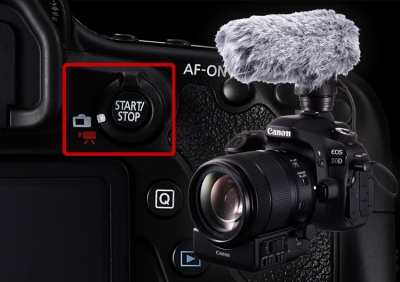
To shoot video on a DSLR camera, switch to the movie-shooting mode. To start and stop recording, press the [Start/Stop] button at the back of the camera. If you are already familiar with shooting still images on the camera, there should be no trouble at all switching to the movie shooting mode.
Filmmaking Tutorial 1: Why shoot video?
2. How to Craft a Story
Now that you have no more qualms about getting started with filmmaking, the next step is to craft a storyline for your video, which is the subject of the second tutorial. Unlike photographs, the storyline is very central to a video.
First of all, have a very clear idea of what information you want to convey to your audience through the film. When you plan the story in detail, start with deciding on the objective of the video, and then think about the structure. Don’t forget that the video will also need a constantly-playing audio track.
Before you start shooting, create a storyboard or a shot list. If your storyline is too predictable, viewers will lose interest midway and stop watching, so put enough twists and unpredictable elements in your story to keep viewers on the edge and keen on finding out what happens next.
Filmmaking Tutorial 2: How to Craft a Story
3. The Importance of Frame Rate and Resolution
Simeon Quarrie’s third tutorial tells us about the importance of frame rate and resolution. A video’s “frame rate” refers to how many frames the camera can record in 1 second. Different countries use different colour encoding systems for TV broadcasts, and these systems deliver different frame rates, so set your camera to record in PAL or NTSC standard depending on the format used in your region. Europe and most parts of Asia use PAL, which delivers a frame rate of 25 frames per second.
It is also useful to understand how photographs and video differ in terms of aspect ratio and resolution. Traditionally, photographs follow a 3:2 aspect ratio whereas movies use a 16:9 aspect ratio. Full HD video has a resolution of 1,920 x 1,080 pixels, whereas 4K video has a resolution that is four times higher: 4,096 x 2,160 pixels with a 17:9 aspect ratio.
Filmmaking Tutorial 3: The importance of Frame Rate and Resolution
There are altogether 10 tutorials by Simeon Quarrie on filmmaking. In the next article, we will learn more about basic techniques for shooting video.

Join the Conversation